Daily Productivity Planner: A Practical Tool for Structured Time Management
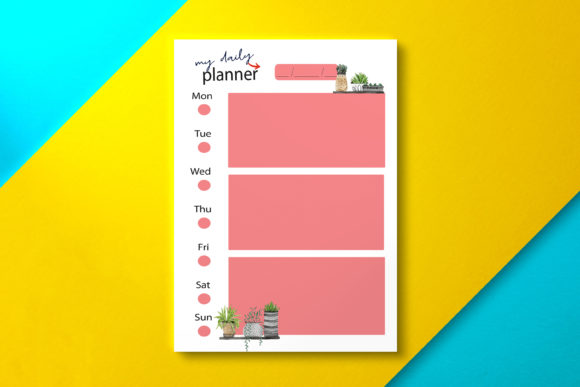
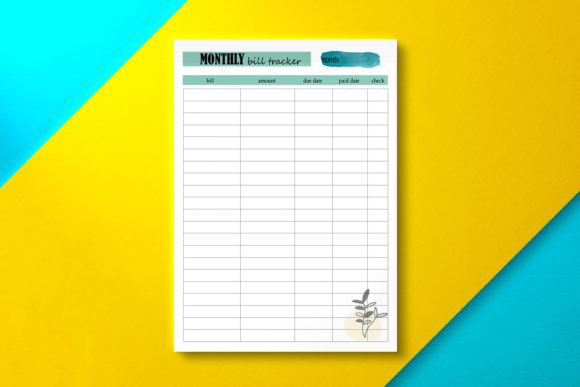
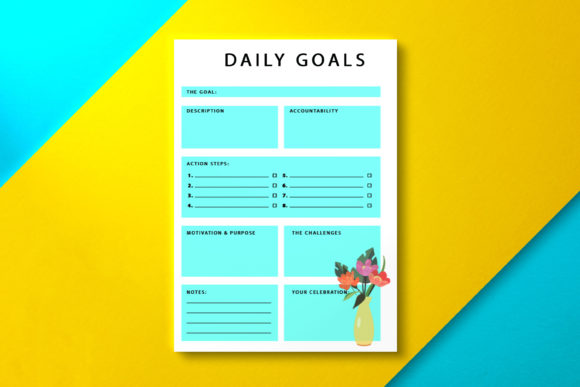
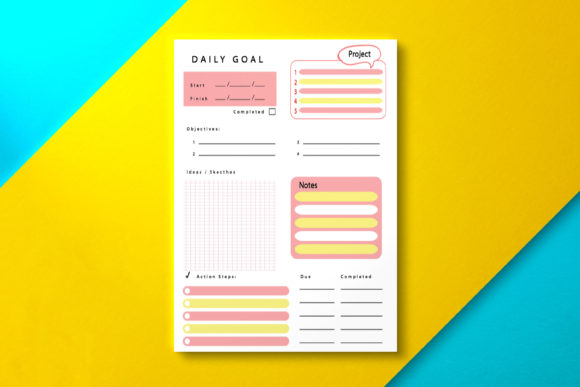
For individuals seeking a structured yet flexible approach to managing daily tasks, the Daily Productivity Planner offers a balanced solution. This planner is designed to help users organize their time, prioritize responsibilities, and maintain a clear focus throughout the day. Unlike generic planners that may feel too rigid or too vague, this planner integrates daily planning pages with goal-setting sections, habit trackers, and weekly reviews to support a comprehensive productivity system.
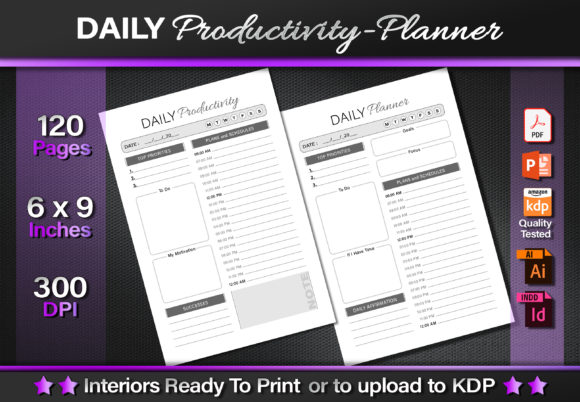
One of the standout features of the Daily Productivity Planner is its adaptability. It caters to professionals, students, entrepreneurs, and anyone looking to improve their time management without being locked into a specific methodology. Whether you're a fan of bullet journaling, time-blocking, or minimalist planning, the customizable layout allows for a range of productivity styles. The planner includes 120 pages of thoughtfully designed templates, offering enough space for both detailed planning and reflection without overwhelming the user with clutter.
Comparing Formats: Why File Variety Matters
What sets the Daily Productivity Planner apart from many digital planners on the market is the inclusion of multiple file formats: PDF, PowerPoint (PPTX), Illustrator (AI), and InDesign (INDD). This variety allows users to modify the planner according to their preferences before uploading it to print-on-demand platforms like Kindle Direct Publishing (KDP). For creators and entrepreneurs looking to publish their own productivity tools, this flexibility is invaluable.
The availability of editable files means users can tweak fonts, adjust layouts, or reorganize sections before finalizing the design. In contrast, many digital planners only offer PDF versions, which can be limiting for those who want to customize beyond basic annotations. The 300 dpi resolution and 6 x 9-inch dimensions ensure professional print quality, whether printed at home, in an office, or through a commercial print shop. Additionally, the lack of bleed makes it easier to prepare for KDP upload, streamlining the publishing process for self-publishers and indie authors.
How It Stacks Up Against Other Productivity Tools
When compared to digital task managers like Todoist, Notion, or Google Calendar, the Daily Productivity Planner offers a tactile and screen-free alternative. While digital tools provide automation and reminders, physical planning can encourage deeper focus and reduce digital fatigue. For users who find themselves constantly switching between apps and tabs, a printed planner can offer a more intentional planning experience.
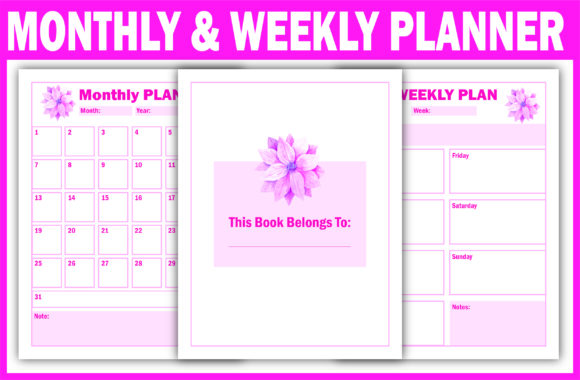
On the other hand, compared to standard monthly or weekly planners, the Daily Productivity Planner provides more granular control. It allows for daily reflection, habit tracking, and goal setting in a way that many traditional planners overlook. This makes it particularly useful for people who need to manage complex schedules, track progress over time, or integrate personal development goals with daily tasks.
However, not every user will find this level of detail necessary. Those who prefer a minimalist approach or only need to track high-level tasks may find the Daily Productivity Planner slightly more involved than needed. In such cases, lighter planners or digital tools with simplified interfaces may be a better fit. The key is matching the planner's structure to the user’s planning habits and lifestyle demands.
Strengths and Limitations of the Daily Productivity Planner
The Daily Productivity Planner shines in its versatility and print-ready design. Because it's formatted for KDP and includes multiple editable file types, it serves both end users and content creators. Its 120-page layout provides ample space for long-term planning while maintaining a manageable size. The absence of bleed simplifies the setup process for print-on-demand services, which can be a significant advantage for those new to self-publishing.
One potential limitation is that the planner assumes a certain level of familiarity with productivity systems. Users who are new to structured planning may find some sections—like habit trackers or weekly reviews—less intuitive without additional guidance. However, this can be mitigated by including a short introductory section or using the planner in conjunction with online tutorials or productivity guides.
Another consideration is the static nature of printed pages. Unlike digital planners where entries can be edited or rearranged, written entries in a physical planner are fixed. This tradeoff is common among physical planning tools and is often seen as a benefit for those who appreciate the cognitive benefits of handwriting and the satisfaction of physically checking off completed tasks.
Best Use Cases for the Daily Productivity Planner
The Daily Productivity Planner is ideal for individuals who want a structured yet customizable approach to time management. It works well for:
- Freelancers and remote workers who manage multiple projects and need a clear daily structure.
- Students balancing coursework, extracurriculars, and personal goals.
- Entrepreneurs tracking business milestones and daily habits that contribute to long-term success.
- Self-publishers looking to upload a ready-made planner to KDP with minimal formatting adjustments.
It’s especially beneficial for those who prefer a tactile planning experience and want to avoid digital distractions. The ability to customize the file before printing also makes it a strong choice for small business owners or content creators launching their own productivity products.
When to Consider Alternatives
While the Daily Productivity Planner offers many advantages, it may not be the best fit for everyone. Users who prefer highly automated systems with integrations, reminders, and cloud syncing may find digital planners or productivity apps more suitable. Similarly, those who only need to track a few key tasks per week might benefit from a simpler, more compact planner format.
If your planning needs change frequently or require team collaboration, a customizable digital tool may offer more flexibility. However, for solo users who value the physical act of planning and want a ready-to-print solution with minimal setup, the Daily Productivity Planner remains a strong contender.
Making the Right Choice for Your Productivity Needs
Selecting the right productivity tool depends on personal preferences, work style, and long-term goals. The Daily Productivity Planner stands out for its combination of structure, customization, and print-ready design. It supports a wide range of productivity methods without forcing users into a single framework. Whether you're using it for personal development, professional planning, or as a foundation for your own publishing project, it offers a practical and adaptable solution.
Ultimately, the best planner is the one that aligns with how you naturally work and think. If you value flexibility, enjoy the tactile experience of writing, and are looking for a planner that can be tailored to your needs, the Daily Productivity Planner is worth considering. However, if your needs lean more toward digital integration or minimalism, exploring alternative tools may lead to a better match.